Your business profile
Your business profile tells T:0 how your company operates: how it is structured, how it makes money, what it spends on, and who reads its financials. It informs the chart of accounts T:0 builds for you, and it shapes your reporting and the recommendations T:0 makes.
Set up your business profile
T:0 first uses the website you provide at sign-up to learn details about your business. It also runs a web search to fill in what it can find about your company.
-
Go to
app.t0.ai/onboarding?stage=business_profile. -
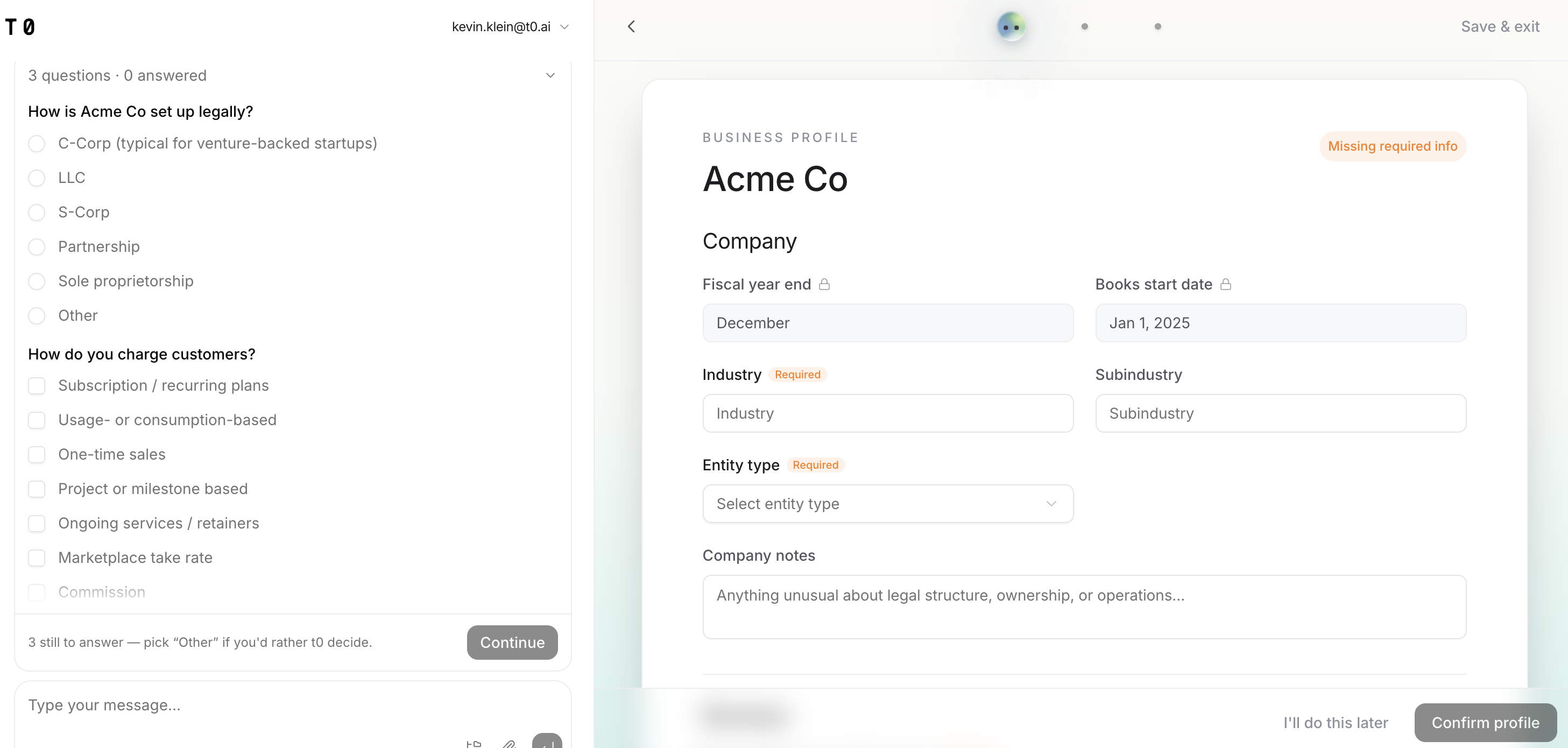
Click Fill out my business profile. T:0 opens the profile in two panels: questions on the left, your profile on the right, already populated from the web search.
-
Answer the questions in the left panel. Some are single-select, such as How is Acme Co set up legally?; others let you select more than one option, such as How does revenue come in today? Each answer fills the matching field on the right.
-
To add or correct anything the questions don't cover, type it into the message box at the bottom of the left panel. T:0 applies what you write to the profile.
-
Review every section of the profile on the right, filling in any empty field marked Required.
-
Click Confirm profile.
Save your progress and come back later
You don't have to finish in one sitting. Click I'll do this later at the bottom of the profile, or Save & exit in the top right, to leave and return. You can also complete the profile after onboarding by asking the T:0 agent for it.
Review or edit your profile later
Edit your business profile any time from the Business Profile settings page. Ask T:0 can also update it:
- Open the T:0 agent.
- Ask for your profile — for example, Show me my Business Profile.
- Review the profile and edit any field that has changed.
To change your business website, address, or logo, go to app.t0.ai/my-organization.
Fiscal year end and Books start date are set by the T:0 Product Success team and are locked in the business profile. To change a locked field, contact Product Success at support@t0.ai.
