The Dashboard
The Dashboard is T:0's home page. It gives you quick access to common actions and a snapshot of your accounts.
How it works
The Dashboard opens with quick links to common destinations in T:0, and a prompt bar with suggestion chips you can click to ask T:0 questions about your finances. Below that, a setup card walks you through an onboarding checklist if you still have setup steps left. Balance cards summarize your connected accounts, and a recent transactions list shows the latest activity.
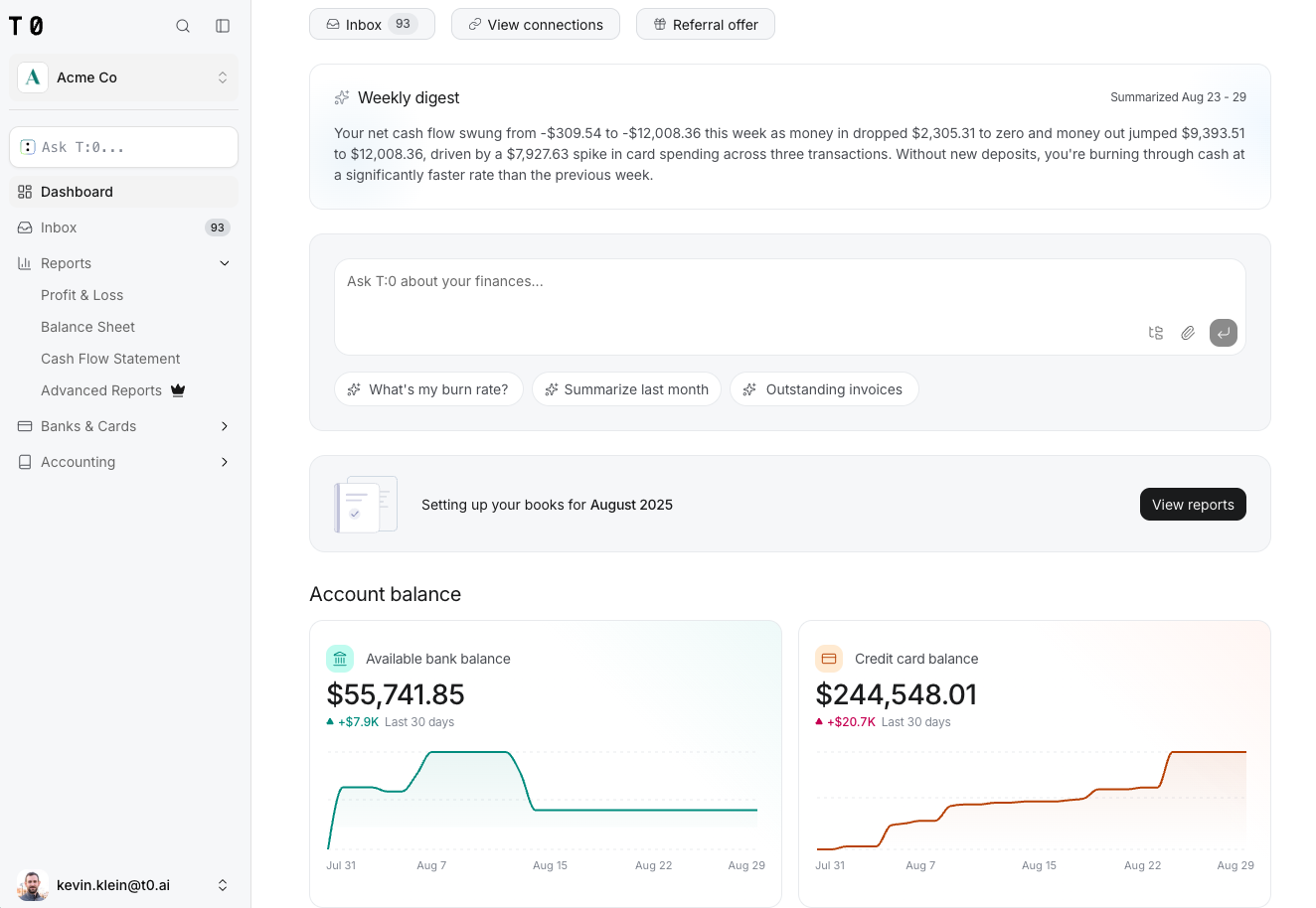
Balance cards reflect your connected accounts as T:0 processes new transactions, so you don't wait for a close to see where things stand.
What's on the Dashboard
| Element | What it shows |
|---|---|
| Quick links | Shortcuts to common destinations in T:0. |
| Prompt bar | Suggestion chips and a field for asking T:0 questions. |
| Setup card (onboarding only) | An onboarding checklist of remaining setup steps. |
| Balance cards | Summary balances across your connected accounts. |
| Recent transactions | The most recent transactions across your accounts. Items that still need a category show a Categorize button here too. |
