Ask T:0 about your financials
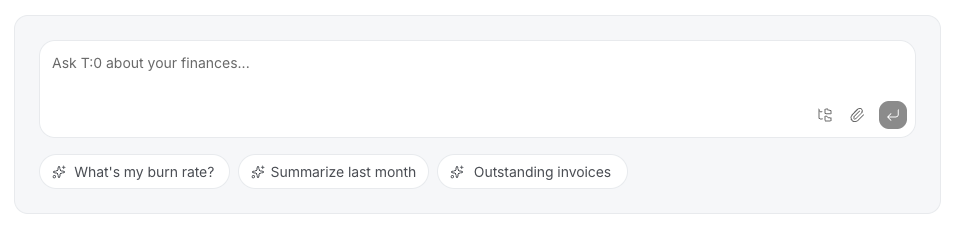
You can ask T:0 questions about your books in plain language — from the Dashboard's prompt bar or from the T:0 chat panel — and get an answer based on your connected financial data.
Ask a question
-
Go to the Dashboard, or open the T:0 chat panel.
-
Click one of the suggestion chips, or type your own question in the prompt bar — for example, a question about a balance, a transaction, or a report.
-
Submit the question. T:0 answers using your connected financial data.
Ask about a specific transaction
In any Ask T:0 chat, paste a transaction ID or the transaction's URL to ask about that specific transaction. This is useful for understanding how a transaction was categorized, or why the journal entries on a transaction look the way they do.
Press ⌘K (Mac) or Ctrl+K (Windows) on any page to open quick search and ask a question without leaving what you're doing.
