Categorize Inbox items with Tell T:0
When you're not sure how to categorize a transaction, Tell T:0 can review it for you. Describe what the transaction is — or leave it blank — and T:0 proposes a category and account with its reasoning.
Use Tell T:0
-
In the Inbox, open the transaction you want to categorize.
-
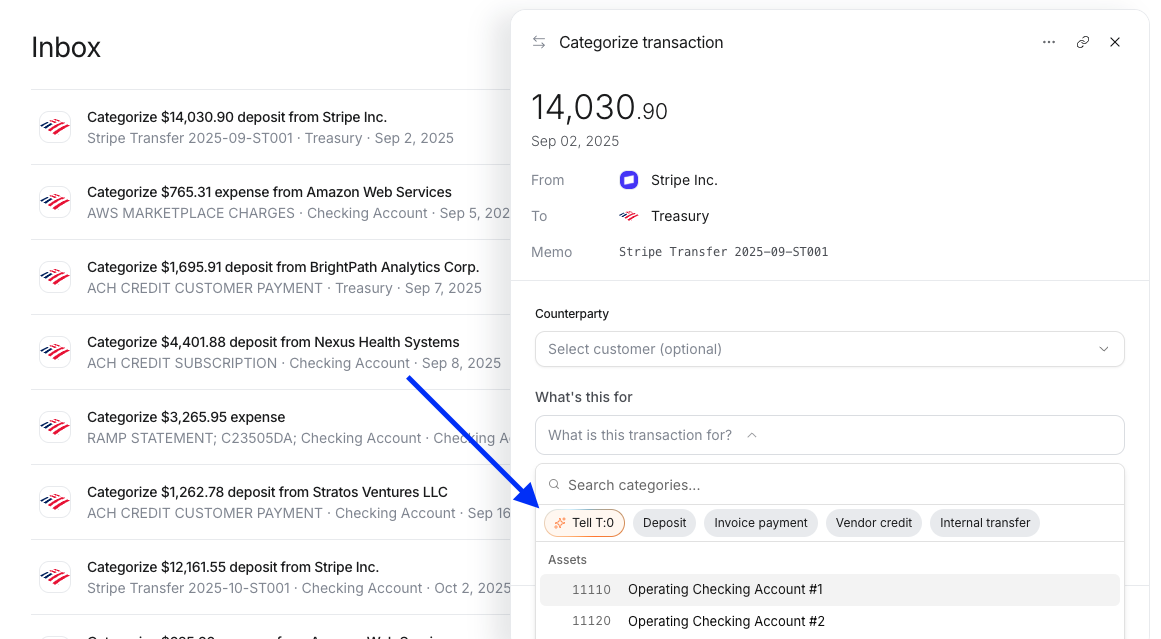
In the categorize panel, under What's this for, click Tell T:0. T:0 opens a chat panel and starts reviewing the transaction.
-
In the chat, describe what the transaction is for and send it. To have T:0 figure it out on its own, send the chat without typing anything.
-
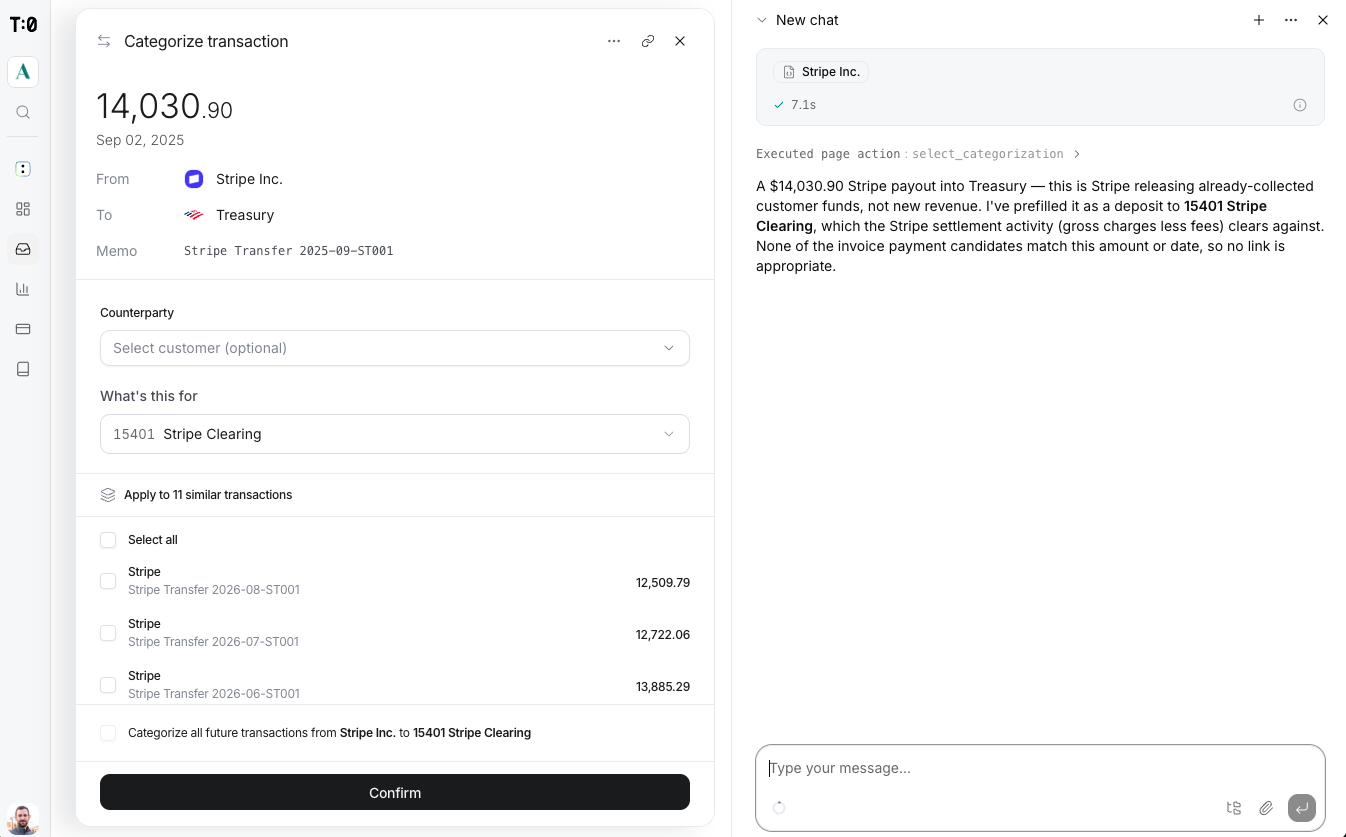
T:0 replies with the category and account it picked and explains its reasoning. It fills in What's this for with the account.
-
Review the prefilled account. If it's right, click Confirm.
Apply to more transactions
Confirm also lets you apply this category to similar transactions already in the Inbox, or to every future transaction from the same vendor — without repeating these steps for each one.
